

A digital wallet allows you to make payments conveniently using your smartphone instead of carrying physical cash or bank cards. With popular services such as Apple Pay, Google Pay, and Samsung Wallet, you can pay for purchases quickly and securely using a compatible mobile device.Although mobile payments have become increasingly popular in recent years, many people are still unfamiliar with how digital wallets work and how to set them up. Understanding their features can help you enjoy a more convenient payment experience.
One of the main advantages of using a digital wallet is the ability to complete transactions quickly without needing to take out your physical card. Digital wallets also use security features that help protect your payment information, including tokenization, device authentication, and biometric verification, depending on the service and device.Another benefit is convenience. You can leave your physical wallet at home when visiting places that accept contactless payments, although it is still useful to carry a backup payment method when necessary.
In this guide, we’ll explain what digital wallets are, how they work, their main benefits, and how to set them up on Apple, Samsung, and Android devices.
Choose Your Digital Wallet
You can jump directly to the setup instructions for your preferred digital payment service:
- Apple Pay: For compatible iPhone and Apple device users.
- Samsung Wallet: For supported Samsung smartphones.
- Google Pay: For compatible Android devices and supported Google payment services.
What Is a Digital Wallet?
A digital wallet, also known as an electronic wallet or e-wallet, is a financial application that allows users to store payment details and make transactions using compatible electronic devices. These applications are commonly available on smartphones, smartwatches, and tablets, making everyday payments more convenient.
Digital wallets are often referred to by different names, depending on the service or device. Common terms include digital wallet apps, electronic wallets, digital card wallets, Google Wallet, Samsung Wallet, Apple Wallet, and iPhone digital wallets.
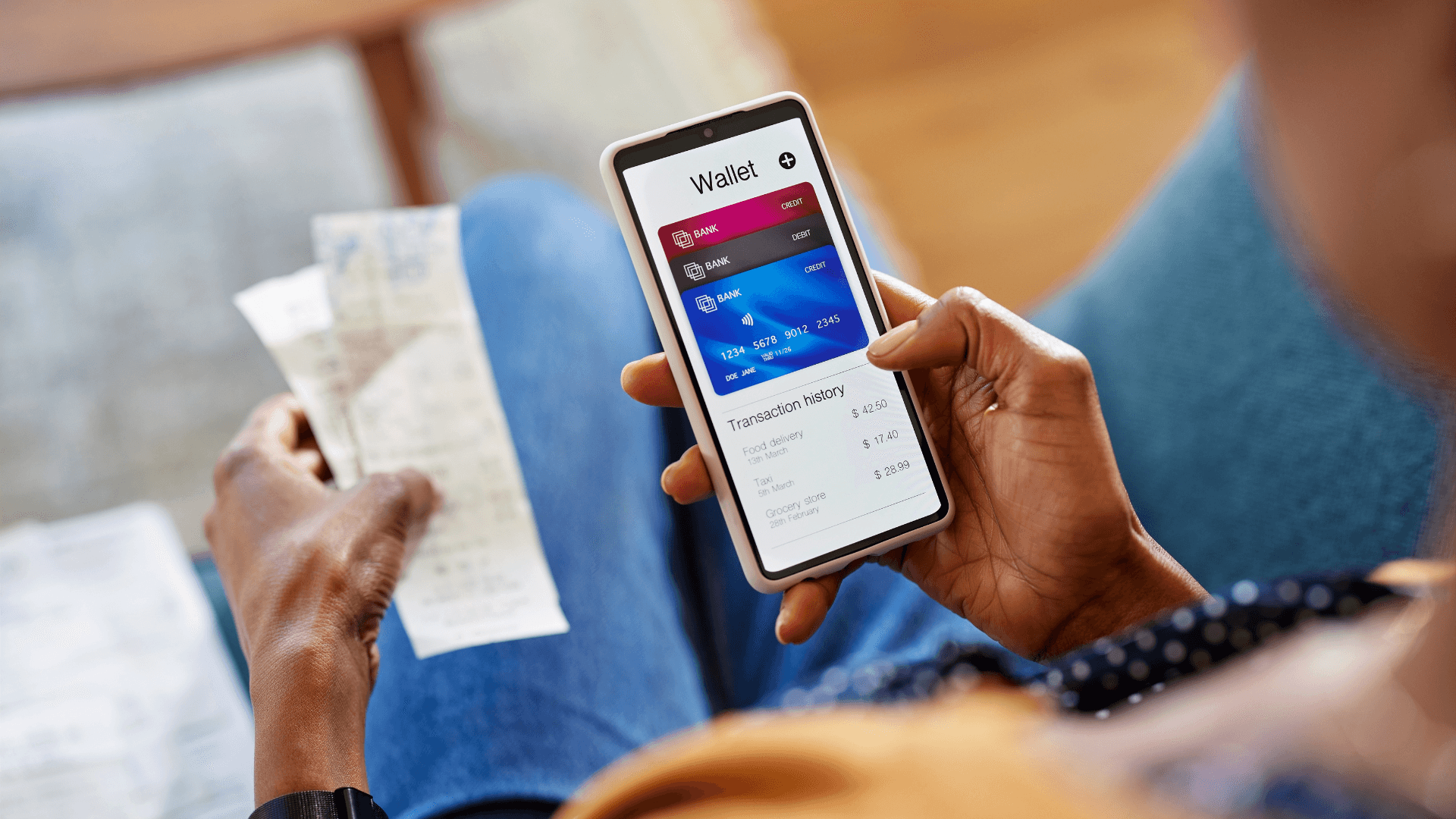
Regardless of the name, their primary purpose is to simplify payments while helping protect your financial information. A digital wallet can securely store supported payment card details and, in some cases, passwords, loyalty cards, tickets, and other digital items. This allows you to make eligible in-store and online purchases without constantly carrying physical cards.
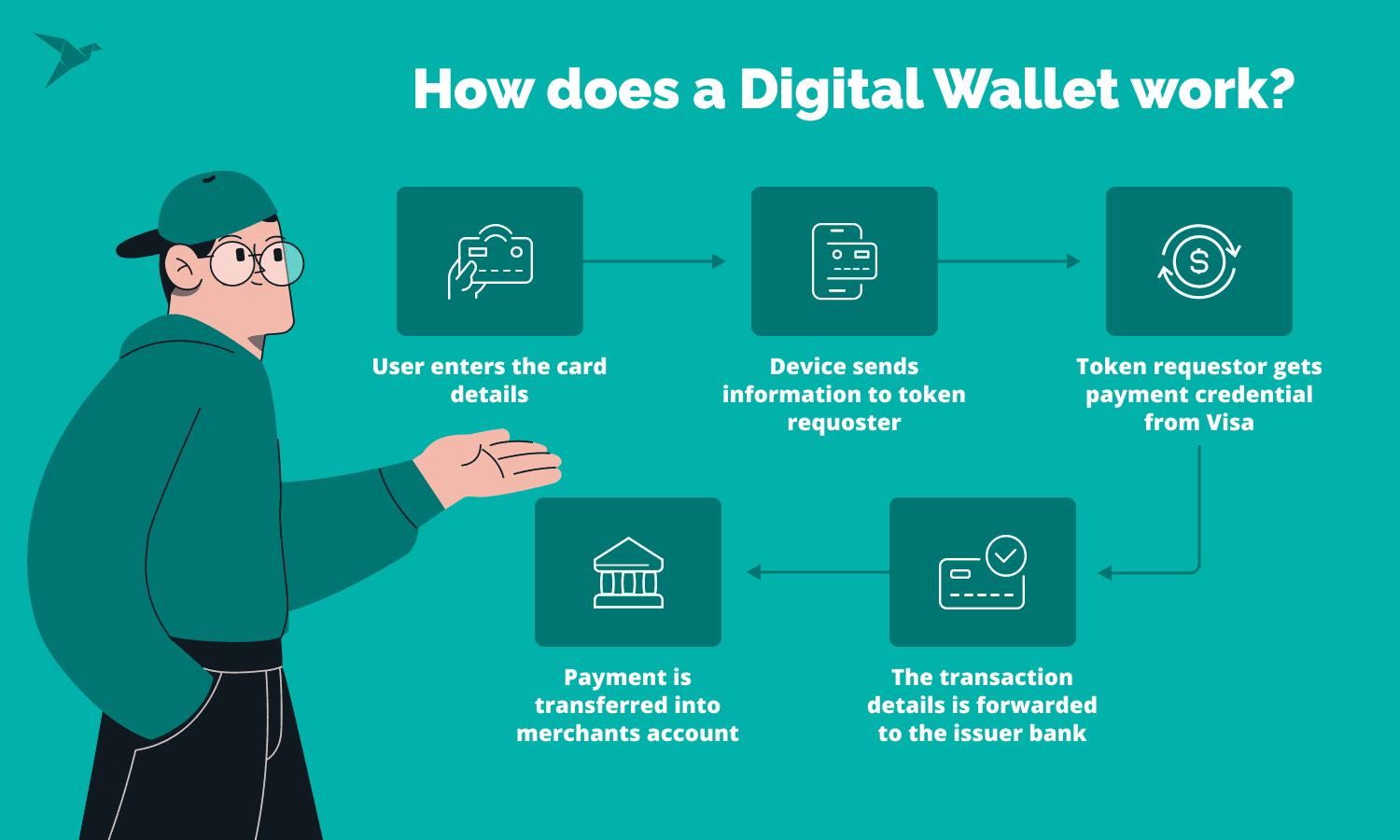
How Does a Digital Wallet Work?
Before using a digital wallet, you generally need to set it up on your compatible device. The setup process usually involves adding a supported debit card, credit card, or another eligible payment method to the application.Depending on the wallet service, you may also be able to store gift cards, loyalty cards, event tickets, and other digital passes. Some services support additional features, such as storing selected account credentials.
To add a payment card, you typically enter its details manually or scan the card using your smartphone’s camera. Your bank or card issuer may then ask you to verify your identity through a text message, banking application, email, or another approved method.Once the verification process is complete, your digital wallet may be ready to use. The exact setup steps and available features depend on your device, payment provider, bank, and country.
How Does a Digital Wallet Process Payments?
Digital wallets use different technologies to communicate with payment terminals or other devices and complete transactions. The process is similar to paying with a physical card, but instead of swiping or inserting the card, you use your compatible smartphone or another supported device.
The payment technology depends on the wallet provider, device, and merchant’s payment system. Three commonly used methods are Near Field Communication (NFC), Magnetic Secure Transmission (MST), and QR codes.
Near Field Communication (NFC)
Near Field Communication, commonly known as NFC, allows compatible devices to exchange information over a short distance. It is widely used for contactless payments through services such as Apple Pay and Google Wallet.To make an NFC payment, you generally hold your compatible smartphone or smartwatch near a contactless payment terminal. Depending on your device and settings, you may need to authenticate the transaction using a passcode, fingerprint, or facial recognition.The merchant must have a compatible contactless payment terminal for this method to work.
Magnetic Secure Transmission (MST)
Magnetic Secure Transmission, or MST, is a technology designed to transmit a magnetic signal that can resemble the signal produced by a traditional card’s magnetic stripe.Some older Samsung Pay-compatible devices supported MST alongside NFC, allowing payments at certain magnetic-stripe terminals. However, MST is not available on every Samsung device or in every version of Samsung Wallet, so users should check their device’s supported payment features.
QR Code Payments
QR code payments provide another way to complete transactions using a digital wallet. A QR code is a two-dimensional barcode that can be scanned using a compatible smartphone camera or payment application.Depending on the payment service, either the customer scans a code displayed by the merchant or the customer displays a payment code for the merchant to scan. The payment is then processed through the supported payment system.For example, some PayPal transactions can be completed using QR codes at participating merchants and in supported regions.
Where Can You Find a Digital Wallet on Your Phone?
If you are wondering where your digital wallet is located, the answer depends on your smartphone and the application you use.On an iPhone, you can generally find Apple Wallet by searching for “Wallet” on your Home Screen or in the App Library. On supported Samsung devices, Samsung Wallet can usually be found in the app list or through your phone’s search feature. Android users can look for Google Wallet in their installed applications or download it from the Google Play Store if it is available for their device and region.Once you locate the application, open it to view your supported cards and digital passes. You may need to unlock your phone or complete additional authentication before accessing payment features.
Setting Up Your Digital Wallet
After learning how digital wallets work, you can begin setting up a supported payment method on your device. The process typically involves opening the appropriate wallet application, adding your eligible card, and completing any verification required by your bank or payment provider.
If you plan to use a First New York Federal Credit Union Visa debit or credit card, check whether your particular card is eligible for the digital wallet service you want to use. Availability and setup requirements may vary depending on the card, device, and service.
How to Set Up Your Digital Wallet With a First New York Visa® Debit or Credit Card
Setting up a digital wallet with your First New York Visa® debit or credit card allows you to make eligible payments using a compatible smartphone or smartwatch. The setup process depends on your device and the digital wallet application you choose.This guide covers the basic steps for Apple Pay, Samsung Wallet, and Google Wallet. Select the option that matches your mobile device to get started.If you cannot find your preferred digital wallet or need assistance adding your card, contact First New York Federal Credit Union’s Member Service Specialists at (518) 393-1326, press 2.
Apple Pay Setup for iPhone Users
<AsyncImage query=”Apple Pay iPhone Wallet app add card screen” aspectRatio=”16:9″ width=”100%”/>
You can add an eligible First New York Visa® debit or credit card to Apple Wallet and use Apple Pay on a supported iPhone or Apple Watch. Follow these steps to begin the setup process.
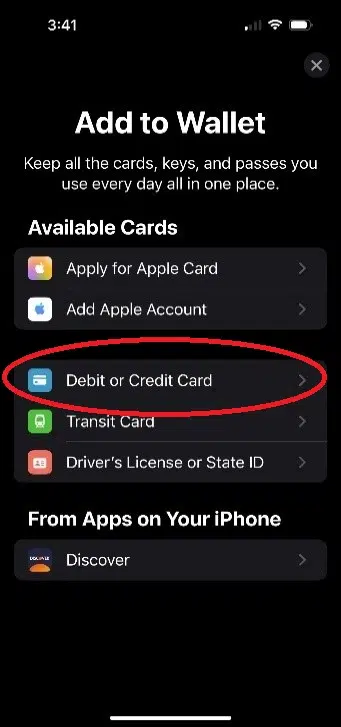
Step 1: Open Apple Wallet. Locate and launch the Wallet app on your iPhone.
Step 2: Tap the Add button. Select the plus (+) button in the Wallet app to begin adding a new card.
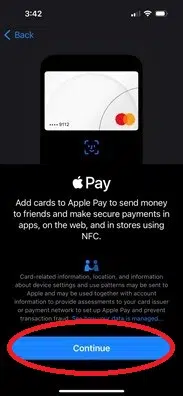
Step 3: Choose your card type. Select “Debit or Credit Card,” then tap “Continue” to proceed with adding your payment card.
You can also refer to Apple’s official instructions for additional information about adding a payment card: Apple Pay.
Frequently Asked Questions
What is a digital wallet?
A digital wallet is an application that securely stores eligible payment card information and allows you to make supported purchases using a smartphone, smartwatch, tablet, or other compatible device.
How does a digital wallet work?
A digital wallet connects your eligible payment card to a supported mobile device. After you complete the setup and verification process, you can use your device to make eligible in-store, online, or contactless payments.
Is a digital wallet safe to use?
Digital wallets use security features designed to help protect your payment information. Depending on the service and device, these may include encryption, tokenization, device authentication, fingerprints, facial recognition, or passcodes.
Which digital wallets can I use?
Common digital wallet services include Apple Pay, Samsung Wallet, and Google Wallet. The services available to you depend on your device, card issuer, location, and compatibility.
Can I add a debit card to a digital wallet?
Yes. Eligible debit cards can generally be added to supported digital wallet services. You may need to verify your identity with your bank or card issuer before the card can be activated.
Conclusion
A digital wallet offers a convenient and secure way to make everyday payments without always carrying physical debit or credit cards. With services such as Apple Pay, Samsung Wallet, and Google Wallet, eligible cards can be added to compatible smartphones and smartwatches for supported purchases.
Setting up a digital wallet is generally straightforward and may only require adding your card details and completing a verification process with your card issuer. Once activated, you can enjoy a faster and more convenient payment experience while benefiting from the security features built into your device and digital wallet service.If you are ready to switch to digital payments, check your device and card compatibility and follow the appropriate setup instructions to get started.
